The Best Web Design Tools Of 2025: The Top 10
You’re trying to pick the right platform for your next project. Every review sounds the same. Every tool promises everything.
Here’s what caught our attention. Companies like Netflix, Spotify, and Stripe all use the same type of collaborative design platforms. They’re not experimenting. They’re using tools that genuinely speed up their work.
We’ve done the research so you don’t have to. We tested workflows, compared features, and focused on what matters for agencies building real websites.
Whether you’re launching your first site or managing a team on a tight deadline, we’ll show you exactly what each tool does. More importantly, we’ll explain why it matters to your actual day-to-day work.
Key Takeaways
- AI-powered web design tools automate repetitive tasks like font identification, colour palette generation, and accessibility checking, significantly reducing manual work and project timelines.
- Figma, Builder.io, and Webflow lead 2026 because they enable real-time team collaboration, bridging the gap between designers and developers seamlessly without code switching.
- WordPress powers over 43% of global websites, making it the most reliable content management system for agencies building scalable, maintainable sites with extensive plugin ecosystems.
- Development agencies must evaluate tools based on usability, features, pricing transparency, customer support quality, integration capabilities, scalability, and security before selecting their design platform.
- Modern design platforms like Framer and Jitter Video accelerate UI/UX workflows by enabling interactive prototyping, motion design, and responsive layouts without requiring developers to write code.
Generative AI Tools for Web Design
Artificial intelligence changes how we build websites today. We can generate layouts, pick colour schemes, and create content in seconds.
Tools powered by OpenAI and machine learning systems do the heavy lifting. This frees us to focus on creative decisions instead of repetitive tasks.
Features of AI in web design
AI transforms how we approach web design by handling tedious tasks automatically. These intelligent systems make our work faster and smarter.
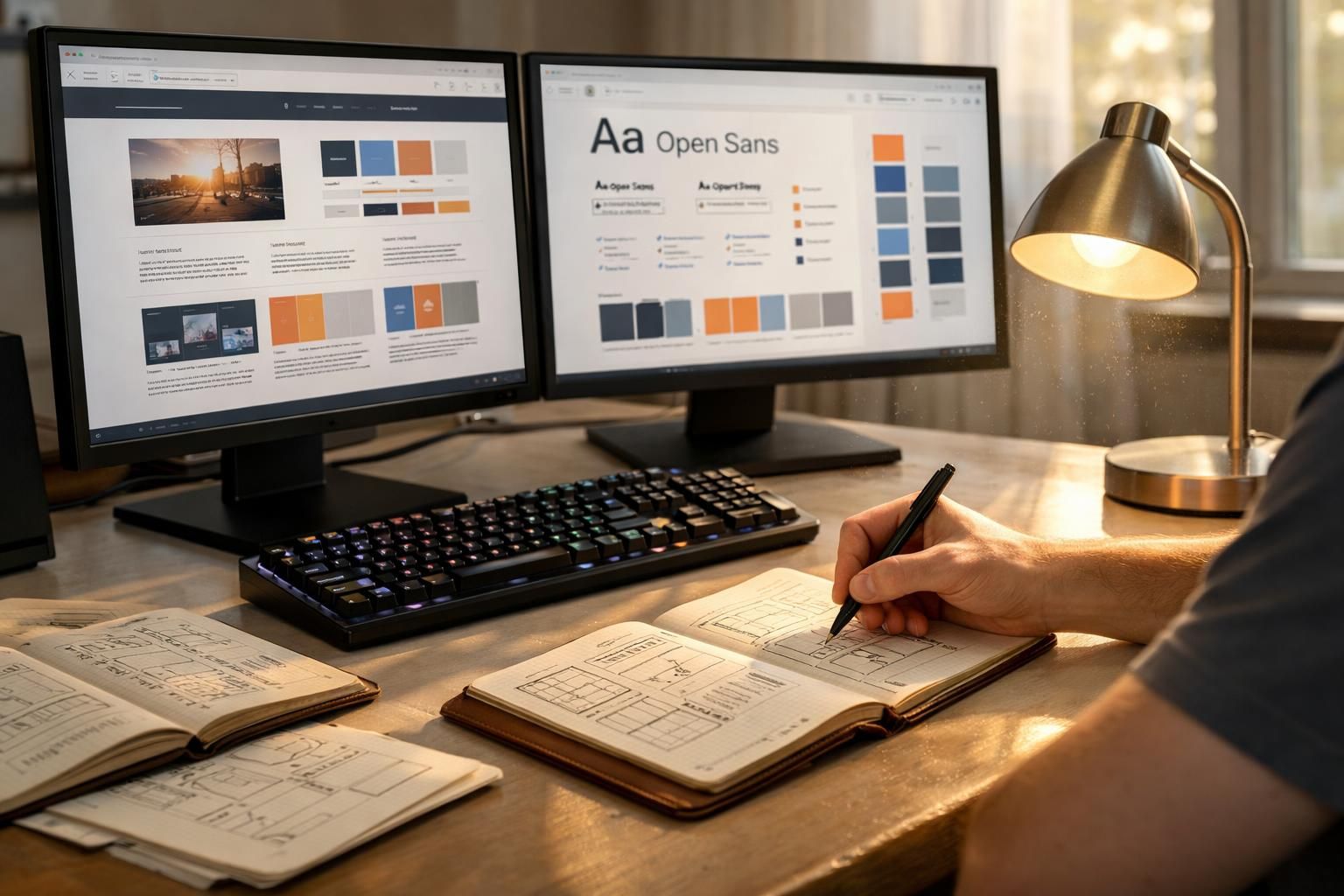
- Automated font identification spots typefaces across designs instantly. This saves hours we used to spend searching through variable fonts and OpenType options manually.
- Design suggestions analyze layouts using machine learning. The system recommends improvements to spacing, colour schemes, and visual hierarchy without us lifting a finger.
- Responsive design adaptation happens on its own. AI adjusts layouts for different screen sizes and devices, so we skip repetitive manual breakpoint work.
- Content generation tools create placeholder text and images right away. We can visualize websites before final assets arrive from clients.
- Colour palette recommendations emerge from uploaded images or brand guidelines. The system suggests harmonious combinations that match our visual direction perfectly.
- Image recognition identifies objects within photos. This enables smarter cropping, tagging, and organization of design assets in our workflow.
- Layout analysis examines competitor websites and industry standards. It flags design patterns that actually resonate with audiences and drive engagement.
- Accessibility checking runs through designs automatically. The tool flags contrast issues, missing alt text, and other barriers that stop users from interacting effectively.
- Performance optimization suggestions reduce file sizes and improve loading speeds. AI analyzes code and assets to identify unnecessary bloat.
- Prototyping acceleration compresses timelines dramatically. We generate interactive mockups from static designs and test user flows much faster than before.
Benefits for designers and developers
AI-powered features streamline our workflow and cut down repetitive tasks significantly. We gain speed and consistency across every project we tackle.
According to a 2026 market report by the IMARC Group, the generative AI market in India reached $1.5 billion in 2026. Enterprise demand in IT and e-commerce drove this growth, as businesses invested heavily in automation and cost efficiency. This shows us that AI design tools aren’t just experimental. They’re a financial priority for tech businesses looking to cut costs fast.
- Machine learning maintains design consistency automatically. Our teams spend less time correcting errors and more time creating.
- Faster prototyping means we deliver mockups to clients within days instead of weeks.
- Reduced manual work frees our developers to focus on JavaScript frameworks and cross-browser testing.
- Productivity increases when AI handles layout suggestions, colour matching, and spacing calculations.
- We save money on labour costs because automation tackles tasks that used to need multiple team members.
- Design systems stay consistent across projects when machine learning enforces brand guidelines throughout every component.
Our UI/UX workflows improve dramatically as prototypes move faster from concept to dev mode. Collaboration strengthens when tools like Figma and Figjam let our entire agency work simultaneously on the same canvas.
Client satisfaction rises because we deliver polished websites and e-commerce solutions quicker than competitors. Data analytics integration becomes simpler, allowing us to track performance metrics and Google Analytics data without extra plugins.
We reduce errors in responsive design because AI tools automatically adjust layouts across different screen sizes. Integration with tools like Supabase and React frameworks happens seamlessly, cutting setup time for new projects significantly.
Octopus.do: Efficient Sitemap Builder
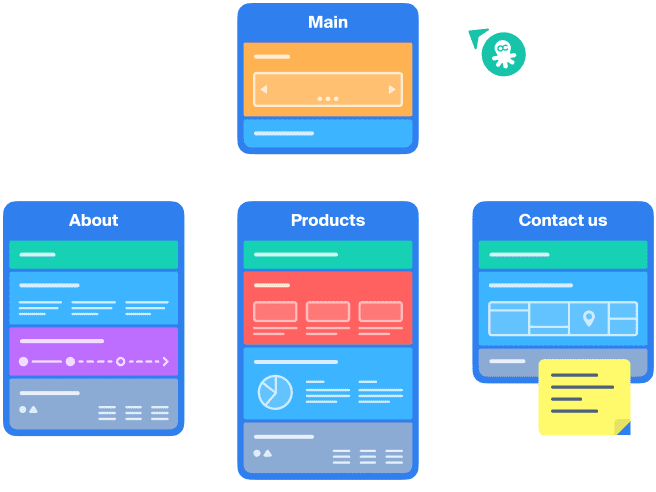
Octopus.do cuts through the chaos of website planning. We build sitemaps in minutes instead of hours.
We map out entire site structures, spot problems early, and hand developers a clear roadmap. This happens before they write a single line of code.
Key features and usability
Octopus.do transforms how teams approach sitemap building through its drag-and-drop interface. This accelerates wireframing and project structure creation from day one.
The tool’s efficiency shines when we need to map out website architecture quickly. Designers and developers collaborate on sitemaps in real time. Its usability stands out because it removes unnecessary complexity.
We focus on what matters: building solid foundations for our web development projects.
The platform supports rapid iteration. We can test different structural approaches before committing resources to full development. Auto layout capabilities ensure our team maintains consistency across different client sitemaps.
The widget system allows us to reuse components and save considerable time.
- Workflow automation organizes project layouts without requiring code knowledge
- Real-time collaboration lets teams work together instantly
- Integration with design platforms makes it invaluable for agencies managing multiple projects
- Visual representations eliminate back-and-forth conversations about structure
Teams working on WordPress, Webflow, or Shopify projects find the tool particularly helpful. Planning information architecture before starting actual website building speeds everything up. New team members pick it up quickly, reducing training time and getting projects moving faster.
Builder.io: Visual Website Builder
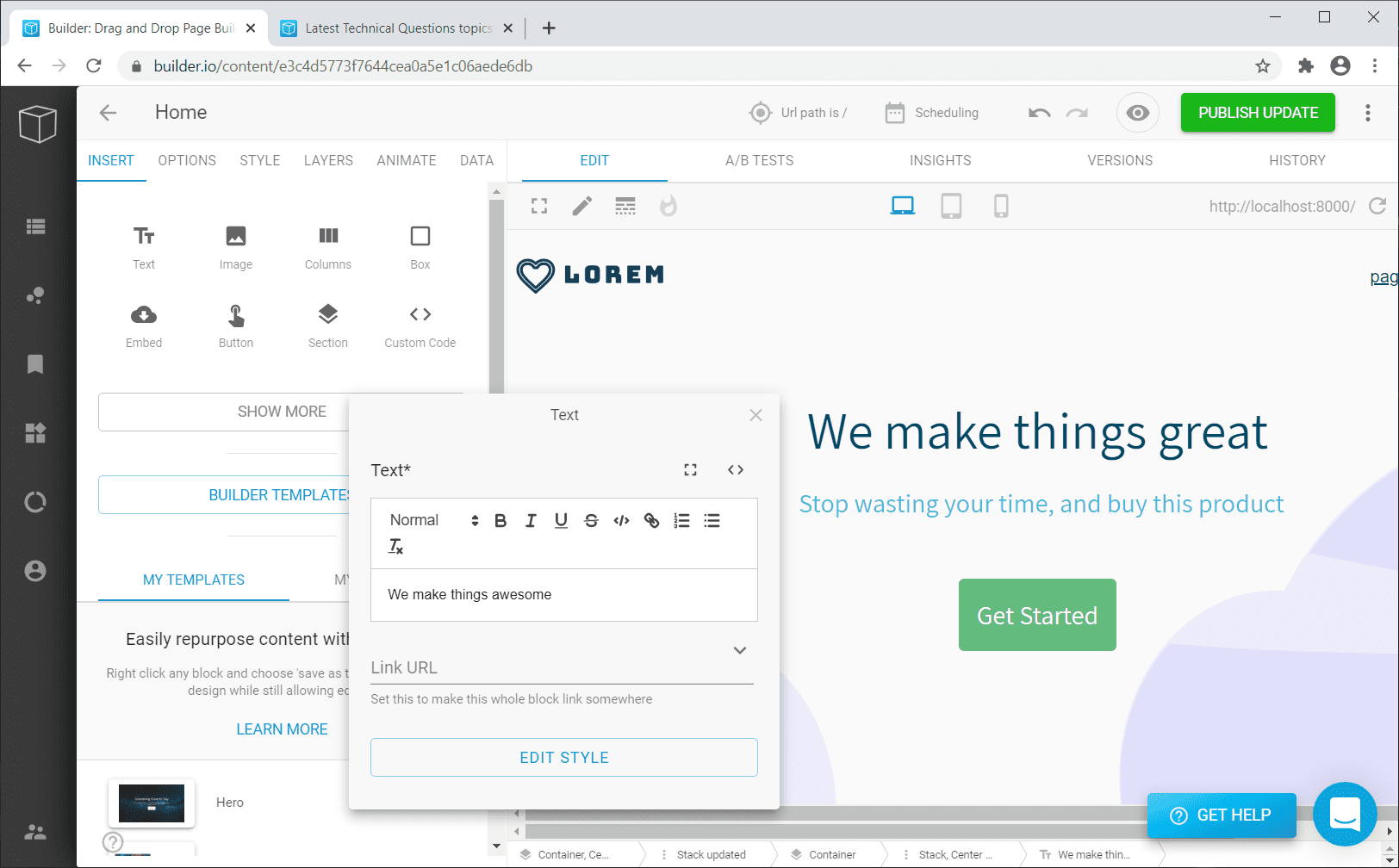
Builder.io transforms how we build websites. Designers and developers work together in real time, without writing code.
This visual website builder cuts development time in half. Keep reading to discover how.
Simplifying development with Builder.io
Builder.io stands out as a leading visual website builder for 2026. Based on 2026 user demographic data analyzed by ManyAI, India represents 15.06% of Builder.io’s global user base, making it the platform’s second-largest market worldwide. This massive Indian presence means a strong community and talent pool available for local agencies.
The platform bridges design and coding seamlessly. It eliminates the frustrating gap that often slows down agencies. Our teams appreciate how the software handles both visual design work and the underlying code simultaneously.
Pre-designed templates accelerate project launches. We start new web projects without reinventing the wheel each time. These templates save weeks of work, which means clients see results faster and budgets stay healthier.
Integrations with organizational tools improve project efficiency across our entire workflow. We connect Builder.io with product management platforms, digital marketing systems, and team collaboration software to keep everyone aligned.
- Visual building reduces back-and-forth between designers and developers
- Both groups work in the same space instead of separate tools
- Automatic code translation cuts development time significantly
- Fewer errors occur during traditional handoffs
Agencies choosing Builder.io gain a competitive edge in delivering websites faster than competitors. The software works brilliantly for clients who want custom functionality without sacrificing speed. Teams using this visual website builder report smoother project timelines and happier clients overall.
Developers spend less time fixing integration issues. They focus more on solving real problems for users. This efficiency matters when competing for web designer talent and retaining skilled staff.
Jitter Video: Motion Design Made Easy
We add motion to web interfaces through Jitter Video. This tool makes animation design straightforward and fast.
We transform static designs into engaging experiences. Smooth transitions, keyframe animations, and interactive elements capture visitor attention instantly.
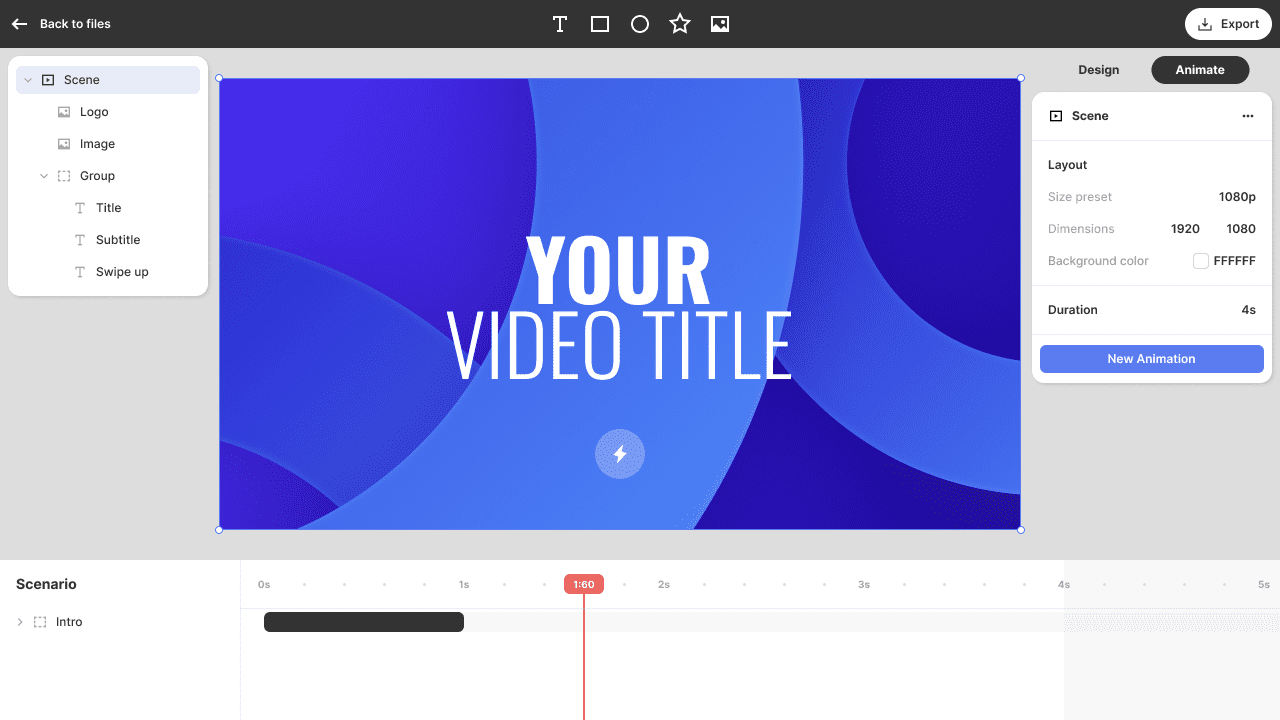
Adding animations to web interfaces
Jitter Video transforms how we craft motion design elements for websites. This tool lets us add high-fidelity, animated prototypes to web interfaces quickly.
Our team uses Jitter Video to create engaging animations that capture visitor attention. The software streamlines motion design creation. We spend less time coding and more time innovating.
Lightflows and other animation features work together to produce polished results. We build interactive experiences that keep users engaged from the moment they land on a page.
Motion design is no longer reserved for massive agencies with huge budgets. Jitter Video makes it accessible to all of us.
- High-fidelity prototypes get built without slowing down development
- Animation tools integrate smoothly into our design stack
- Spline and similar platforms complement Jitter Video for additional creative possibilities
- Prototyping happens before developers write code
This approach saves time and prevents costly mistakes later in projects. Designers on our team appreciate how these tools bridge the gap between static mockups and living, breathing websites.
Adding movement to interfaces makes them feel responsive and modern. Clients see the difference immediately. Conversion rates often reflect that investment in quality motion design.
Framer: Prototyping and Design
Framer lets us build interactive prototypes that feel real. We don’t write a single line of code.
We drag, drop, and watch our designs come alive on screen. We test ideas fast, gather feedback from stakeholders, and refine our UI/UX workflows before handing anything off to developers.
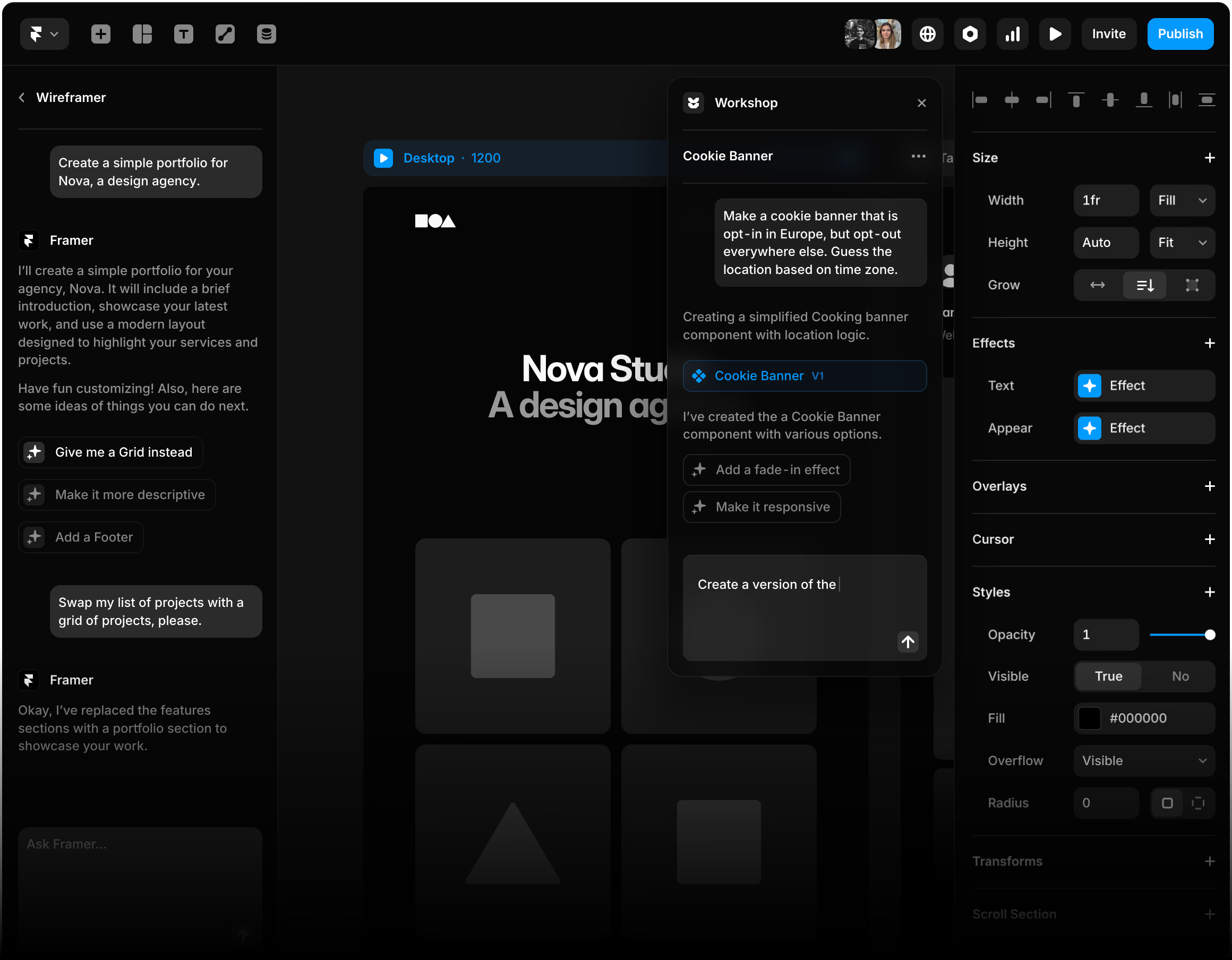
Streamlining UI/UX workflows
We streamline UI/UX workflows through intelligent design platforms that cut development time in half. Framer excels at this. Our teams move from wireframing straight through to prototyping and final development without switching tools constantly.
The software supports responsive designs that adapt to different devices. We build once and deploy everywhere. Our designers sketch vector networks, create interactive elements, and test user flows all within one workspace.
This approach eliminates tedious back-and-forth between Adobe XD, Photoshop, and other graphic design software.
Collaborative design platforms make workflows powerful. We invite clients into Figma or similar tools, gather feedback in real time, and iterate instantly. Sketch and InVision Studio offer branching features that let us explore multiple design directions simultaneously.
Team members see changes as they happen. This reduces email chains and meeting overload.
- Projects launch faster with reduced communication friction
- Assets export directly to development environments
- Integration with HubSpot keeps everything organized in one place
- Clean code exports from Builder.io and Webflow cut handoff time
Speed matters when juggling multiple projects. These tools give us the bandwidth to handle more clients without sacrificing quality. Developers receive clean code exports, which significantly reduces handoff friction. We spend less time explaining design intent and more time building solutions that genuinely work for end users.
A late 2026 industry analysis by CloseFuture highlights that Framer is heavily adopted by India’s SaaS, AI, and D2C startups. Its no-code architecture removes backend developer dependencies. This enables agencies to launch MVP sites in mere days, linking the tool’s speed directly to actual market demands.
Figma: Collaborative Design Platform
We love Figma because it lets our teams work together in real time. We share feedback instantly and build better designs faster than we ever could alone.
Read on to see why this collaborative powerhouse remains the go-to choice for design agencies in 2026.
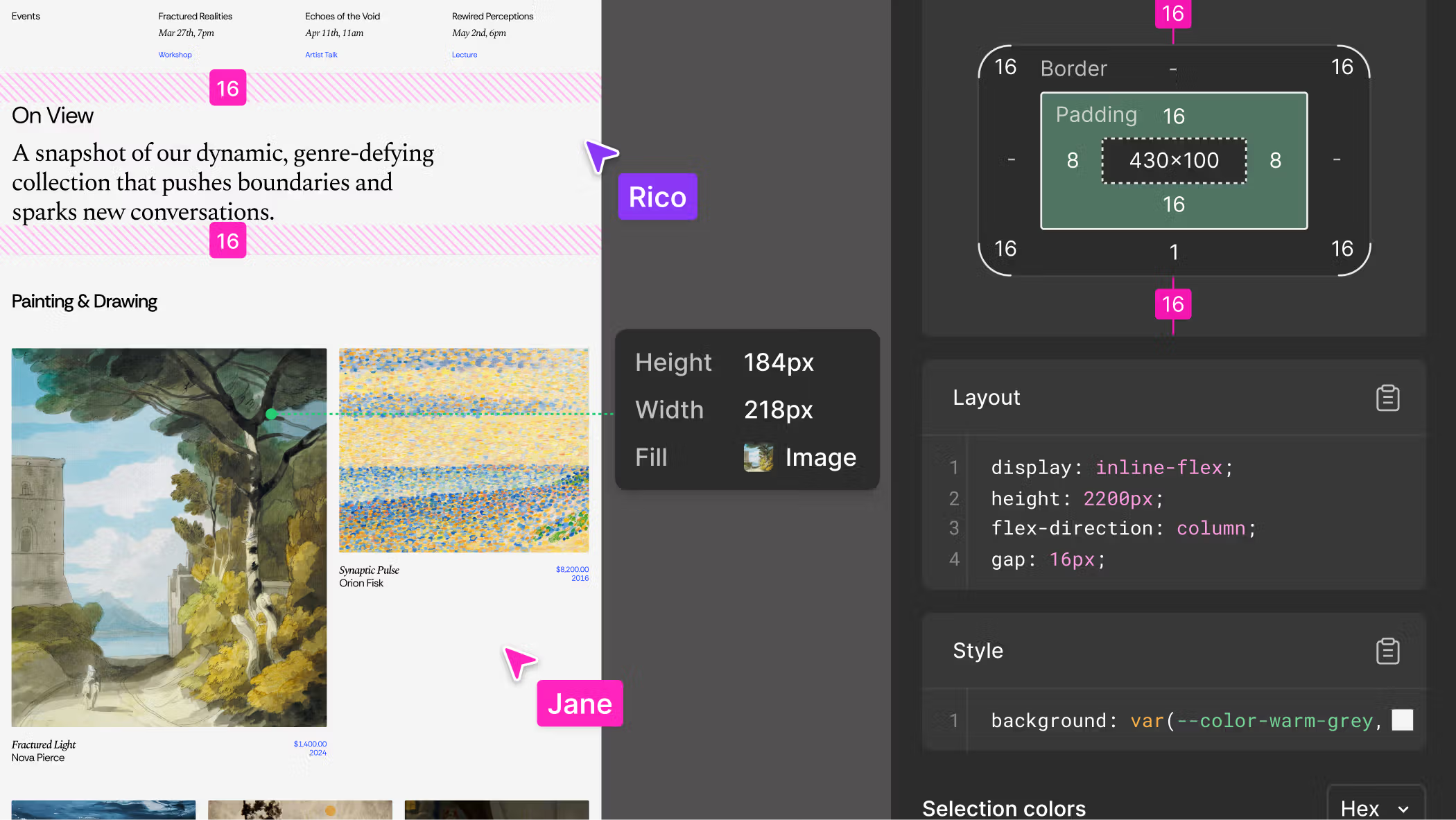
Why Figma remains a top choice in 2026
Figma stands out as our go-to choice because it delivers real-time collaboration that transforms how teams work together. Major companies like Netflix, Spotify, Stripe, and The New York Times rely on Figma to streamline their design processes.
Late 2026 user demographic reports from WebbyCrown show that India is Figma’s second-largest market globally. Over 40% of Bombay Stock Exchange-listed firms, including household names like Zomato and Swiggy, actively use the platform. This proves Figma’s absolute dominance and reliability for enterprise-level collaboration in the region.
Our teams appreciate the multiplayer collaboration features. Designers, developers, and stakeholders provide feedback instantly on the same canvas. Version-controlled design files keep everyone on the same page.
Contextual comments ensure stakeholders understand design decisions without confusion.
Shawn Lam, Head of Design at Zoom, confirmed that Figma significantly improves feedback quality across projects. The platform includes Figma Draw, offering brushes, textures, and text on a path for visual expression beyond basic wireframing.
No-code prototypes give us the power to test user experiences directly on the canvas. Testing happens before development begins. Standardized styles, components, and variables maintain consistency across all our designs. This saves time and reduces errors.
- Full seat access on all plans means our entire agency can collaborate
- No paywalls block core features
- The platform bridges design and development seamlessly
- We move faster than competitors using Adobe Dreamweaver or Google Web Designer
Figma’s flexibility works brilliantly for creating everything from simple sitemaps to complex interactive prototypes. This makes it the sensible choice for agencies serious about delivering results.
Adobe XD: Comprehensive Design Tool
Adobe XD gives us powerful tools for prototyping, wireframing, and building interactive designs all in one place. We can move from sketches to finished products fast.
This saves our team time and keeps our creative flow moving without stopping.
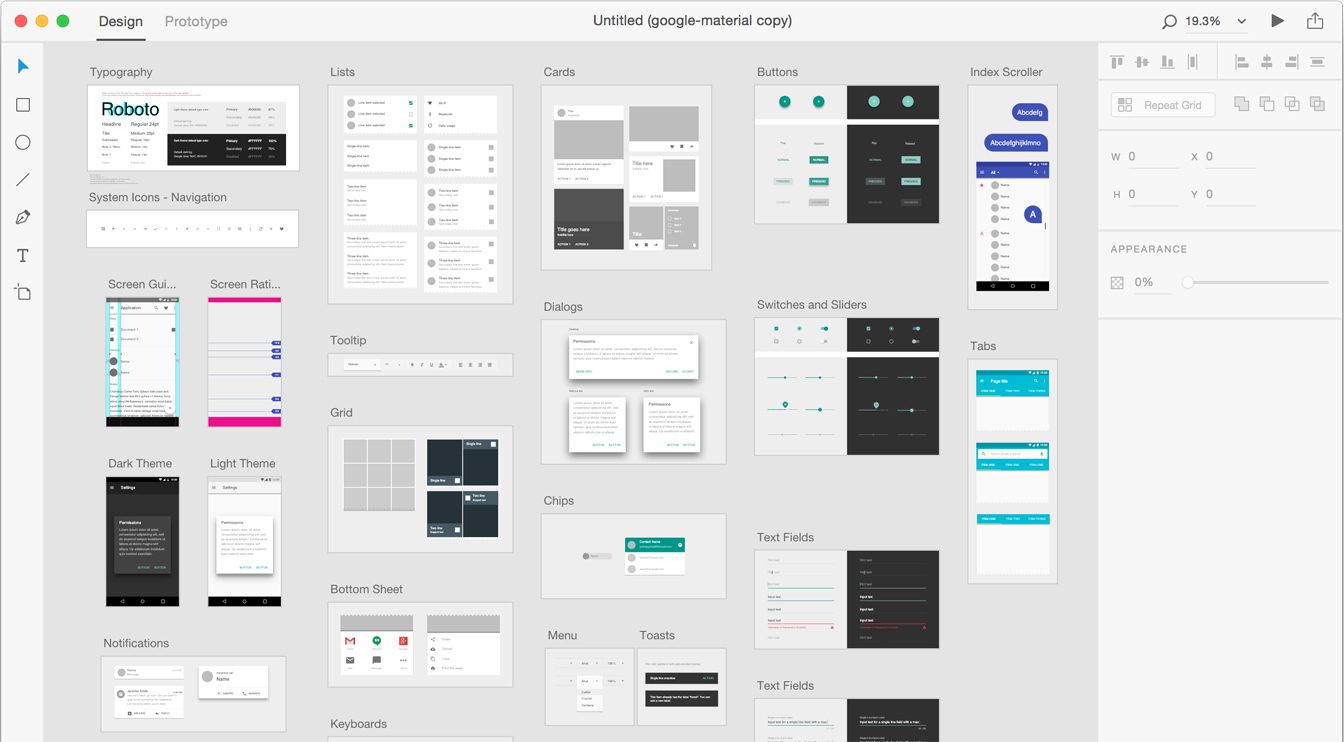
Prototyping, wireframing, and beyond
Adobe XD, part of Adobe Creative Cloud, transforms how we approach prototyping and wireframing for our clients. The tool offers an intuitive interface that suits both seasoned professionals and designers tackling their first projects.
The responsive grid layout adapts designs to match CSS properties. This saves us considerable time during development handoffs. The pen tool creates vector networks without forcing connections back to the original path’s point. This flexibility beats what other platforms offer.
Typography control reaches advanced levels through OpenType and variable fonts. We craft polished interfaces that reflect our clients’ brand identities precisely.
The platform streamlines workflow from concept to delivery. We move from wireframes to interactive prototypes without switching between multiple applications. Asset creation capabilities mean we build comprehensive design systems that developers can implement directly into their code.
- Designers work alongside developers in real time
- Feedback and iterations happen instantly
- Collaboration reduces back-and-forth emails significantly
- Project timelines speed up dramatically
Agencies choosing Adobe XD gain a competitive edge in delivering polished, production-ready designs. The tool integrates smoothly with other Creative Cloud applications. Our teams leverage Brainstation training resources and industry best practices without friction.
Whether building interactive prototypes for stakeholder presentations or creating detailed wireframes for development teams, Adobe XD handles both tasks efficiently. Clients appreciate receiving designs that developers can implement without extensive reinterpretation or rework.
Webflow: Code-Free Web Development
Webflow lets us build websites without writing a single line of code. Designers and developers can focus on what matters most: creating beautiful, functional sites that work across all devices.
We skip the technical headaches and jump straight to designing responsive layouts. Adding animations and publishing live sites happens quickly. They perform like they were hand-coded by experts.
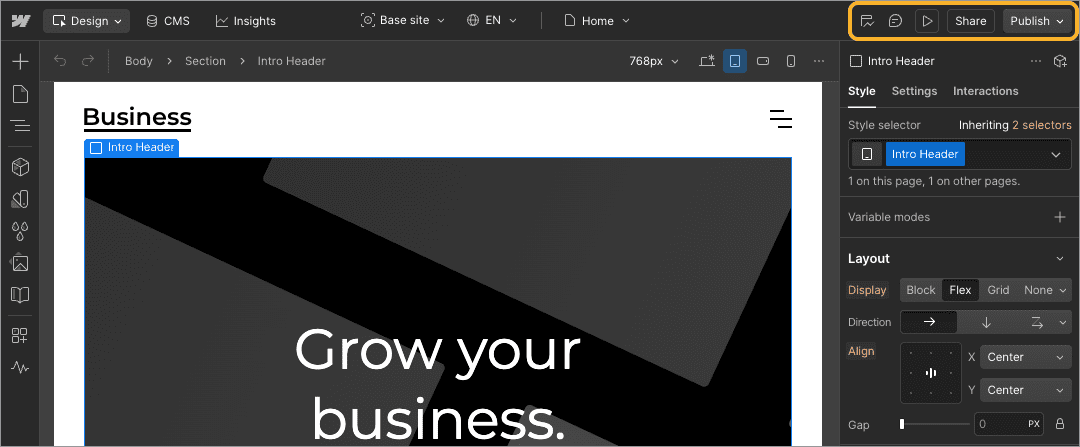
Bridging design and development seamlessly
Webflow stands out as a game-changer for website development agencies. A January 2026 report from ColorWhistle notes that India now ranks among the top three countries globally for Webflow adoption. The platform currently powers over 524,000 live websites worldwide. This confirms Webflow’s scaling presence and shows development agencies it’s a safe, locally proven platform to invest in.
This platform lets designers hand off their creations to developers without losing quality or vision. Auto layout functionality creates fully responsive designs without manual resizing. This saves our teams countless hours.
Dev Mode assists developers in converting designs into code more efficiently. What used to be a frustrating handoff becomes a smooth process.
Designers sketch their ideas. Developers build the actual site. Everyone stays on the same page throughout the journey. No more back-and-forth emails or misunderstandings about spacing and colours.
The branching feature allows exploration of design options. Updates merge seamlessly back into the main file. Our creative teams can experiment freely without breaking anything.
- Code-free development transforms how teams collaborate on projects
- Sites deploy directly from the design platform
- Middlemen get cut out, reducing errors
- Designers gain confidence knowing their work translates accurately
Webflow eliminates the gap between what designers imagine and what developers build. Lovable and other modern tools follow this philosophy, but Webflow leads the charge in making it practical for real-world projects.
Developers work faster because they’re not deciphering unclear specifications. Credits spent on revisions and fixes drop significantly. This seamless connection between design and development means we deliver projects faster, keep clients happier, and maintain our competitive edge in a crowded marketplace.
WordPress: The CMS Leader
WordPress powers millions of websites across the globe. We recommend diving deeper into why this content management system remains the go-to choice for agencies building scalable, maintainable sites in 2026.
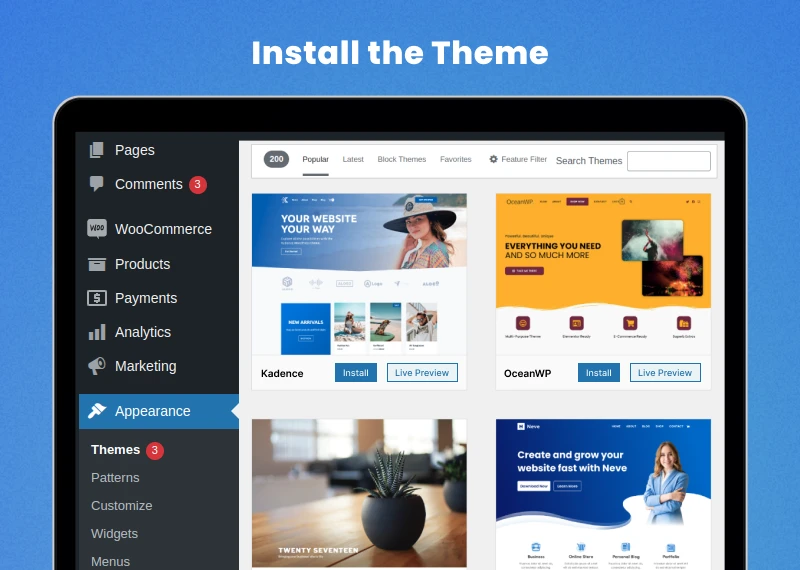
Why WordPress is still relevant for web designers
WordPress remains the leading content management system for web designers in 2025 and 2026. Our teams choose WordPress because it powers over 43% of all websites globally. According to December 2025 global CMS statistics published by tech data analyst Kartik Ahuja, India ranks as the fourth-largest market for WordPress globally, hosting over 275,000 active websites. This grounds the global market share in local reality and shows exactly how large the WordPress footprint is within the Indian developer ecosystem.
Clients recognize and trust this proven platform. The system offers a vast library of templates and files for launching new projects quickly. We access wireframes and UI kits straight away, which saves us considerable time during the initial design phase.
Squarespace and other builders have their place. WordPress gives us the flexibility that agencies demand. Its open-source nature means we control the code, the design, and the final product without vendor restrictions.
Community resources transform how we work together on projects. Plugins and widgets automate repetitive tasks. This frees our developers to focus on custom solutions. We integrate tools like UX Pilot to test user experiences before launch, catching problems early.
- The ecosystem supports collaboration across teams
- We build faster because WordPress provides infrastructure, not limitations
- Ruri Design principles and WebGL capabilities layer smoothly into WordPress sites
- Motion and interactivity impress clients consistently
We recommend WordPress to agencies seeking reliable, scalable solutions for their clients. The platform grows with projects, from simple blogs to complex e-commerce platforms. Our investment in WordPress expertise pays dividends across multiple client engagements.
Unicorn Studio and other advanced tools integrate with WordPress, expanding what we can deliver. We stay relevant in this industry by choosing tools that remain relevant themselves. WordPress continues proving it belongs at the top of our toolkit year after year.
Key Considerations When Choosing Web Design Tools
Selecting web design tools for our agency requires weighing several critical factors. These directly impact project success.
| Consideration | Why It Matters for Development Agencies | Key Questions to Ask |
|---|---|---|
| Usability | Our teams need intuitive interfaces to work efficiently. Complex tools slow down project timelines and frustrate designers alike. Straightforward navigation means faster onboarding for new staff members. | Can our team learn this tool quickly? Does it have a gentle learning curve? Are tutorials readily available? |
| Available Features | Comprehensive workflows matter tremendously, from brainstorming through to finalization. Our agencies require tools that handle wireframing, prototyping, and collaborative design simultaneously. Limited features force us to juggle multiple platforms, which creates chaos. | Does this tool support our complete design pipeline? Can we handle wireframes, mockups, and animations all in one place? What about collaboration features? |
| Pricing Structure | Budget constraints affect every agency decision. Transparent pricing helps us calculate true costs. Scaling costs with team size can either support or sabotage our growth plans. | What are the actual monthly or annual fees? Do prices increase as our team expands? Are there hidden charges? |
| Customer Support Quality | Technical issues happen at inconvenient times. Responsive support prevents projects from stalling. Live chat, email, and documentation all matter when we’re under deadline pressure. | How fast do they respond to queries? Is support available during our working hours? Do they offer phone support or only email? |
| Community Engagement | Active communities provide resources, templates, and solutions. Fellow designers share workarounds and best practices. Strong communities accelerate problem-solving and innovation. | How large is the user base? Are there active forums or Slack groups? Do users share resources and templates? |
| Integration Capabilities | Modern agencies use Asana for project management and Microsoft Teams for communication. Tools that integrate with these platforms enhance organization and efficiency significantly. Disconnected tools create data silos and workflow bottlenecks. | Does it connect with Asana, Microsoft Teams, or Slack? Can we automate handoffs between tools? What APIs are available? |
| Scalability | Growing agencies need tools that expand with them. Performance shouldn’t degrade as projects become more complex. Collaborative features must handle larger teams without lag or limitations. | Will this scale with our team growth? Can it handle large, complex projects? How many users can collaborate simultaneously? |
| Security and Data Protection | Client data must stay protected. Strong security measures prevent breaches and maintain trust. Compliance with data protection regulations keeps our agency safe from legal issues. | What security measures are in place? Is data encrypted? Does the platform comply with GDPR or other regulations? |
Evaluating these factors carefully ensures we choose tools that support our workflow. The right platform becomes our competitive advantage in delivering exceptional digital experiences.
Conclusion
We’ve explored ten powerful web design tools that shape how teams build websites in 2026. Each platform offers distinct advantages. Some prioritize teamwork, others speed, and some creative control.
Your choice depends on your project needs, team size, and technical skills. Start with a free trial on any tool that catches your eye. Watch your design process transform.
The right software becomes your competitive edge in delivering exceptional digital experiences.
FAQs
1. What makes a web design tool worth using in 2026?
We look for tools that save time and work smoothly without requiring technical expertise. The best platforms, like Webflow and Framer, now include AI-powered features that can suggest layouts and even generate design elements automatically.
2. Do I need coding skills to use modern web design tools?
Not anymore. Platforms like Wix and Squarespace have made it possible for anyone to build professional websites using drag-and-drop editors, and they now power over 200 million sites worldwide.
3. Can these web design tools help with mobile-friendly sites?
Absolutely. With mobile devices generating over 70% of internet traffic in India, all leading platforms automatically optimise your designs to look brilliant on phones and tablets.
4. Are free web design tools as good as paid versions?
Free tools work well for personal projects and testing ideas. Paid plans, typically starting around ₹500-1000 monthly in India, offer custom domains, e-commerce capabilities, and professional support. We usually recommend starting with a free version and upgrading when you’re ready to launch professionally.